
Faire Accrual Accounting: Automate Revenue Recognition in QuickBooks
Faire's ship-now, pay-later model is great for wholesale buyers — but it creates a bookkeeping problem that trips up nearly every brand using QuickBooks.
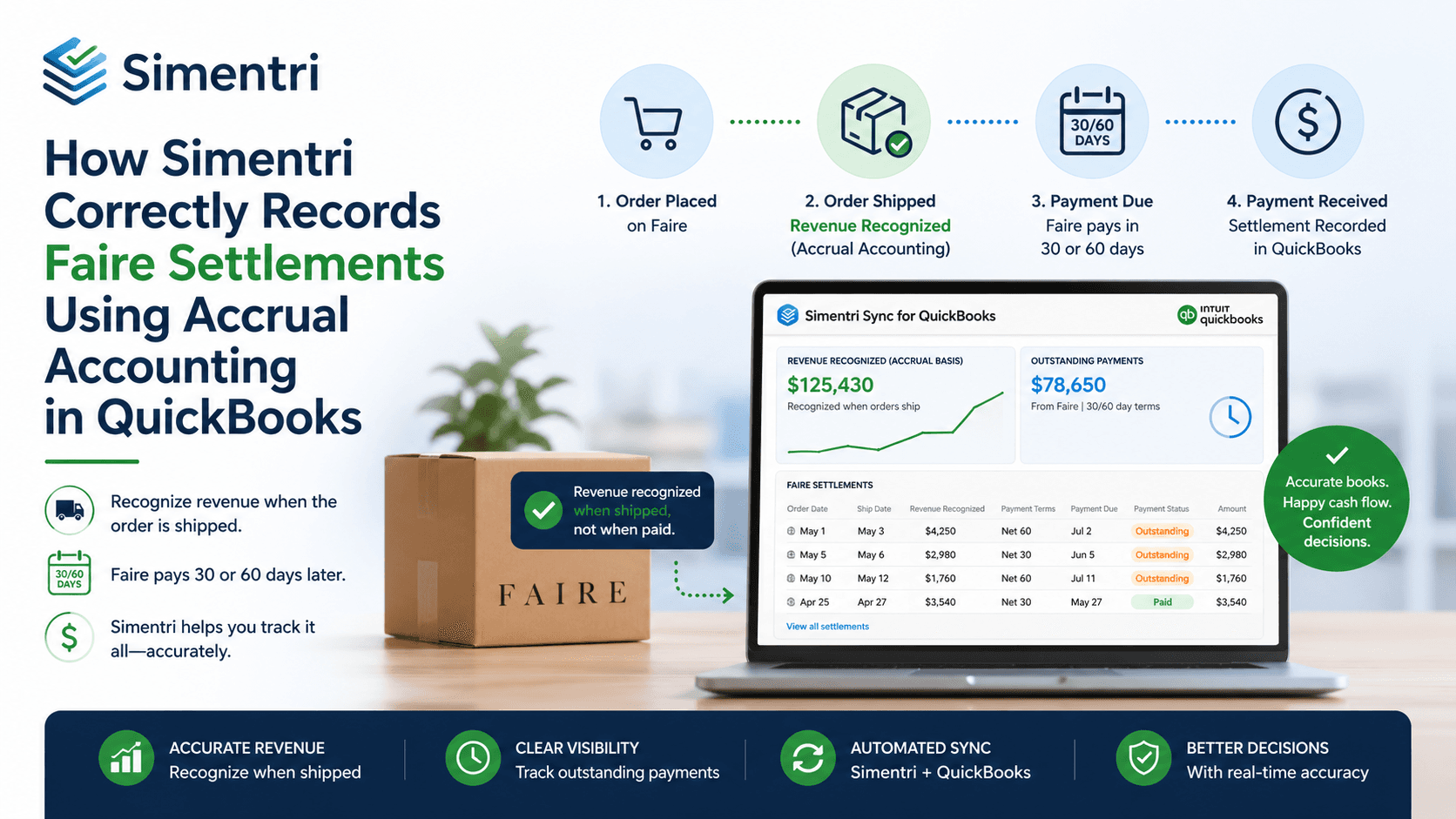
When you ship an order in December and Faire deposits the payout in January (on 30-day terms), cash-basis accounting records the revenue in January. But you earned it in December. Your December P&L understates revenue, your January P&L overstates it, and every month-end close becomes a guessing game.
Accrual accounting solves this. And with Simentri, it's fully automated.
Why Cash-Basis Bookkeeping Fails Faire Sellers
Faire pays out per order, not in batches. Each order is governed by the payment terms agreed between Faire and the retailer — either 30 days or 60 days after the order ships. Faire deducts its commission and processing fee before depositing the net amount directly to your bank account. That means the gap between ship date and cash receipt is at minimum one full month, and commonly crosses two calendar months.
Cash-basis accounting treats your books as if revenue doesn't exist until the deposit hits your checking account. That means:
- Revenue lands in the wrong accounting period
- Monthly P&L reports are unreliable for decisions or reporting
- Reconciling your Faire sales against QuickBooks takes hours of manual work each month
Accrual accounting records revenue when it is earned (ship date), not when cash arrives — exactly what GAAP requires and what your accountant expects.
How Simentri Automates Faire Accrual Accounting
When you enable accrual mode on a Faire connection in Simentri, the system automatically creates two journal entries per order: one when the order ships, and one when Faire initiates the payout. No manual data entry. No spreadsheets.
Journal Entry 1 — Accrual JE (at Ship Date)
The moment Simentri detects that Faire has marked an order as shipped, it posts an accrual journal entry dated to the ship date.
| Account | Debit | Credit |
|---|---|---|
| Revenue | Gross Sales | |
| Commission Expense | Commission | |
| Payout Fee Expense | Payout Fee | |
| Faire Clearing (asset) | Net Payout |
The Faire Clearing account is an Other Current Asset on your balance sheet. Think of it as "Faire owes us this amount." It accumulates the outstanding balance of all shipped-but-not-yet-paid orders — giving you real-time visibility into what Faire owes your business.
Journal Entry 2 — Clearing JE (at Payout Initiation)
When Faire marks the payout as initiated, Simentri posts a second journal entry that exactly reverses the accrual JE.
| Account | Debit | Credit |
|---|---|---|
| Revenue | Gross Sales | |
| Commission Expense | Commission | |
| Payout Fee Expense | Payout Fee | |
| Faire Clearing (asset) | Net Payout |
The Faire Clearing balance for this order returns to zero. When the actual bank deposit arrives, you post a standard QBO Deposit moving the cash from Faire Clearing to your checking account.
The Full Lifecycle of a Faire Order
Order Ships              Faire Initiates Payout     Cash Arrives in Bank
      │                          │                           │
      ▼                          ▼                           ▼
 Accrual JE               Clearing JE                  QBO Deposit
 Dated: ship date         Dated: payout date           Dated: deposit date
 Revenue recognized       Clears the AR balance        Cash hits checking
 Clearing acct ↑          Clearing acct ↓              Checking acct ↑
At any point in time, your Faire Clearing account balance equals the total net payout owed by Faire across all shipped-but-unpaid orders. It is a living accounts receivable balance for your Faire business.
Real Example: 30-Day Terms — Order Ships December 15, Paid January 15
Here is what the journal entries look like for a concrete order:
Order A4HDHX2WE9 — Gross Sales $200 · Commission $30 · Payout Fee $2 · Net Payout $168 · Payment terms: Net 30
December 15 — Order ships → Accrual JE
| Account | Debit | Credit |
|---|---|---|
| Faire Sales | $200.00 | |
| Faire Commission | $30.00 | |
| Faire Processing Fees | $2.00 | |
| Faire Clearing | $168.00 |
January 14 — Faire initiates payout → Clearing JE
| Account | Debit | Credit |
|---|---|---|
| Faire Sales | $200.00 | |
| Faire Commission | $30.00 | |
| Faire Processing Fees | $2.00 | |
| Faire Clearing | $168.00 |
January 15 — Cash arrives → QBO Deposit
| Account | Debit | Credit |
|---|---|---|
| Checking Account | $168.00 | |
| Faire Clearing | $168.00 |
Result: $200 revenue recognized in December — the month it was earned. Zero net P&L impact in January. Faire Clearing nets to zero when cash arrives. Without accrual accounting, your December books would show $0 in Faire revenue and January would show $200 — a full month off.
What You Need to Set Up
Before Simentri can post accrual journal entries, you configure the account mappings once in the Account Mapping screen for your Faire connection:
| Role | Suggested QBO Account | Type |
|---|---|---|
| Revenue | Faire Sales | Income |
| Commission Expense | Faire Commission | Cost of Goods Sold or Expense |
| Payout Fee Expense | Faire Processing Fees | Expense |
| Clearing | Faire Clearing | Other Current Asset |
| Damaged & Missing (optional) | Faire Damaged & Missing | Expense |
| Misc Fees (optional) | Faire Misc Fees | Expense |
| Payout | Bank Account | Bank |
After mapping, enable Accrual Mode on the connection. Simentri handles every journal entry from that point forward — including optional deductions for damaged/missing goods and miscellaneous adjustments.
Frequently Asked Questions
What is the Faire Clearing account used for?
The Faire Clearing account is an Other Current Asset in QuickBooks that tracks the total net payout owed by Faire across all shipped-but-not-yet-paid orders. It rises when an order ships (Accrual JE) and falls to zero when Faire initiates the payout and the deposit is recorded.
What happens if Faire never pays an order?
The Accrual JE remains open and the Faire Clearing balance stays elevated for that order. You can use the Undo Accrual JE button to reverse the entry if the order is cancelled or disputed.
Do I need an accountant to set this up?
No — but it is a good idea to have your accountant review the chart of accounts mapping before enabling accrual mode. The account mapping screen is straightforward, and Simentri's default suggestions match common QBO chart-of-account structures used by Faire sellers.
Will this affect my existing QuickBooks data?
Simentri only creates new journal entries going forward from when accrual mode is enabled. Existing historical entries in QuickBooks are not modified.
Accurate books aren't just for tax time — they are the foundation for making good business decisions. If your Faire revenue is landing in the wrong month, connect your Faire account to Simentri and let the automation handle it.