
Monthly Ad Budget Control vs. Bid Optimization
Most Amazon sellers set a monthly ad budget in their head — or in a spreadsheet — long before they touch keyword bids.
Then they turn on campaign ROAS targets, dynamic bidding, or bid automation and assume spend will stay on plan.
Often it doesn't.
Campaigns can look efficient while the account is still on track to overspend the month. ACOS can look fine on Tuesday and projected month-end spend can still land at 110% of budget by the 28th.
That's not a failure of bid optimization. It's a different control problem.
This post explains the three layers of Amazon ad spend control, where native Amazon settings stop, and how Simentri's budget control engine fits — without replacing the tools you already use for day-to-day bidding.
Three layers of spend control
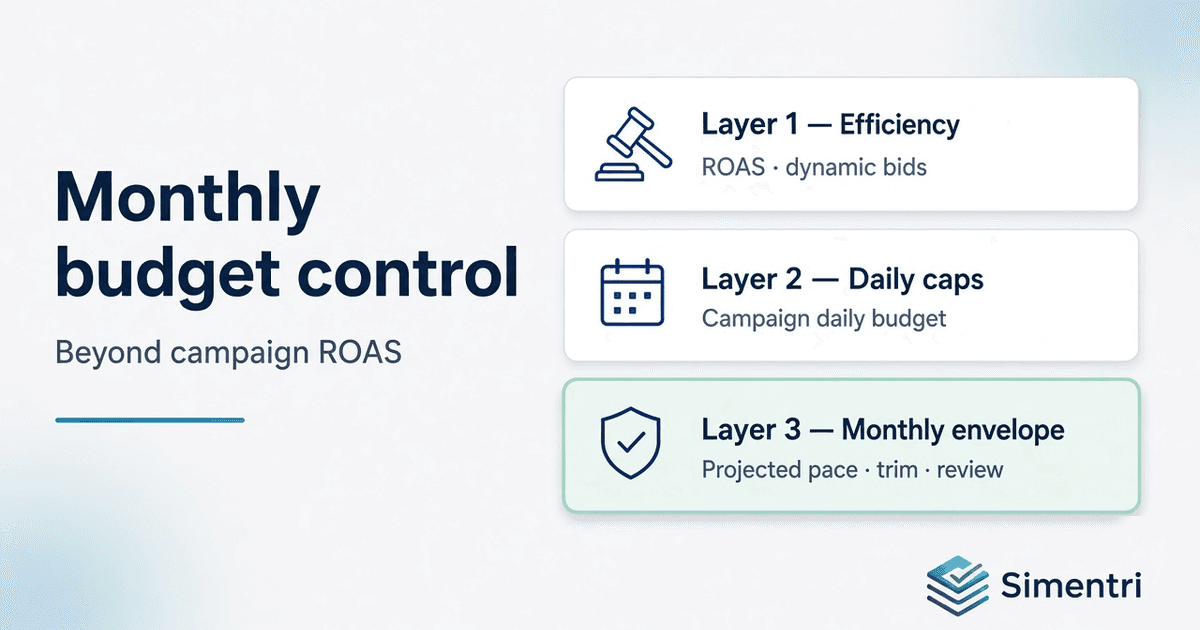
Think of Amazon advertising in three layers:
Layer 1 — Efficiency (auction)      Keyword/campaign ROAS, dynamic bids
Layer 2 — Daily caps (campaign)     Daily budget, near-cap behavior
Layer 3 — Monthly envelope (account)  "I only have $X to spend this month"
Layer 1 answers: Is this click worth the cost?
Layer 2 answers: Did this campaign hit its daily limit?
Layer 3 answers: Will I exceed my monthly plan if I keep spending at this pace?
Amazon Sponsored Products — dynamic bidding, rule-based Target ROAS, and newer ROAS-within-budget options — are strong at Layer 1 (and partly Layer 2) for campaigns with enough history.
They are not designed around your seller-level monthly envelope: the number finance and the owner actually care about.
That gap is where monthly budget control lives.
The scenario: good ACOS, bad month
Imagine:
- Monthly ad budget: $4,500
- Mid-month MTD spend: $3,800 (84% — looks okay)
- Recent daily pace: still high
- Projected month-end spend: $5,100 (113% of budget)
MTD alone says "we're fine." Projection says you're not.
Classic bid automation keeps tuning keywords toward ROAS. Amazon ROAS rules keep optimizing within each campaign's daily budget. Neither is explicitly asking: Given what we've spent and today's run-rate, will we finish the month over the seller's cap?
Simentri's budget control engine is built for that question.
How Simentri's budget control engine works
Simentri treats your monthly ad budget (Settings → About your business) as the account envelope. The engine runs on your weekly analysis cycle in three modes: prevent, warn, and correct.
1. Prevent — stop scale that breaks the month
Before you overspend, Simentri gates growth actions that would push pace higher:
- Budget increases on near-cap profitable campaigns are blocked or clamped when monthly headroom is low — you get a review to raise your monthly budget in Settings instead of silently increasing daily caps.
- When projected spend is over pace, Grow bid increases are downgraded to review so scale recommendations don't fight corrective trims in the same week.
This is preventive: don't make the hole deeper.
2. Warn — projected pace, not just MTD
On the Summary tab, Simentri shows a budget pace strip:
| Field | What it means |
|---|---|
| Monthly budget | Your plan from Settings |
| MTD spend | Pro-rated spend so far this calendar month |
| Projected month-end | MTD + recent daily pace × days left |
| Gap / headroom | How far above or below plan you're heading |
| Pace status | On track · At risk · Over pace |
Pace bands:
- On track — projected spend ≤ your alert threshold in Settings → About your business
- At risk — above that alert threshold but still ≤ 100% — watch closely, no automatic trims
- Over pace — projected spend > 100% — corrective actions may appear
Set the alert threshold in Settings → About your business (allowed range 80–100%). The trim trigger stays at 100% — alerts warn early; action kicks in when you're projected to exceed the full budget.
3. Correct — keyword-first trim when over pace
When over pace, Simentri injects Optimize actions aimed at closing the projected overshoot — keyword-first, not campaign-wide cuts:
- Zero-order search terms with meaningful spend → add negative (block waste)
- Over-target ACOS broad/phrase keywords → lower bid (~20% step, with a floor)
- Never auto-trim: protected keywords, exact hero terms, branded defense you've safelisted
Actions are ranked by estimated monthly savings toward closing the gap, capped per week, and deduped against existing waste recommendations.
Each card includes evidence — MTD spend, projected pace, rationale — and you Apply when you agree. Simentri is built for explainable weekly decisions, not silent mass bid changes across the account.
What Simentri is not trying to be
| Simentri budget control | Typical always-on bid automation |
|---|---|
| Weekly account review | Hourly or daily bid changes |
| Triggered by monthly envelope | Triggered by target ACOS/ROAS |
| Corrective: negatives + bid down when over budget | Continuous bid up and down everywhere |
| Merchant approves each action | Often auto-applies at scale |
| Complements Amazon ROAS | Can conflict if both fight the same campaign |
Simentri does not:
- Sync your budget to Amazon portfolio objects
- Auto-edit your monthly budget without you
- Replace Amazon Target ROAS on mature campaigns with conversion history
- Run a black-box bid engine on every keyword every hour
For many accounts, the right stack is: Amazon ROAS on proven campaigns + Simentri weekly waste, grow gates, and monthly envelope.
When to use what
| Your goal | Best starting point |
|---|---|
| Hit ROAS on a mature, converting campaign | Amazon dynamic bidding or Target ROAS |
| Find and block wasted search terms | Simentri Optimize (weekly) |
| Scale winners without breaking efficiency | Simentri Grow (with safety gates) |
| Stay inside your monthly ad budget | Simentri budget control engine |
| Understand why a recommendation appeared | Simentri evidence + Summary narrative |
A week in the life (example)
Week 2 of the month
- MTD: $1,900 on a $4,500 budget (42%) — green on MTD alone
- Projected EOM: $4,850 (108%) — at risk
- Summary shows amber pace; no trims yet
- You tighten waste on Optimize; defer Grow budget increases
Week 4
- MTD: $3,900; projected EOM: $5,050 — over pace
- Summary turns red; Optimize shows budget trim actions
- You Apply negatives on zero-order terms and lower bids on over-target broad match
- Grow bid increases show as review until pace improves
Next cycle
- Projection drops below 100%; trim actions stop injecting; Grow scale opens again subject to normal gates
That's the engine: project → warn → gate scale → trim waste → recover headroom.
Who this is for
Simentri's budget control engine is especially useful if you:
- Set a fixed monthly ad budget (owner, finance, or agency cap)
- Run multiple campaigns where daily caps look fine but account pace doesn't
- Want explainable actions you can Apply, not unexplained bid drift
- Already use Amazon ROAS or bid tools but still overshoot monthly plan
- Work with a partner or bookkeeper who needs a clear monthly story
Getting started
- Ad Insights → Settings → About your business — set Monthly ad budget (USD) and optional Budget pace alert (%)
- Run your weekly analysis (connected or upload)
- Open Summary for the pace strip; Optimize for trims when over pace; Grow when headroom allows
FAQ
Is this the same as Amazon Target ROAS?
No. Target ROAS optimizes campaign efficiency toward a return goal. Simentri's engine optimizes against your seller monthly budget and projected account pace.
Why use projected month-end instead of MTD?
MTD can look healthy mid-month while run-rate still puts you over budget. Projection catches that early.
Will Simentri lower campaign daily budgets automatically?
Today, corrective action is keyword-first (negatives and bid decreases). Campaign budget decreases are a possible future enhancement when keyword trims aren't enough.
Do I need to turn off Amazon dynamic bidding?
Not necessarily. Use ROAS/dynamic bidding on mature campaigns; use Simentri for monthly envelope, waste, and weekly priorities. Avoid stacking conflicting auto-bidders on the same campaign without a clear owner.
Can Simentri apply actions automatically?
Simentri supports Apply on recommended actions today. The budget engine is designed for trust and evidence first; selective automation can expand over time without becoming a silent mass bid tool.
Simentri connects Amazon Ads, listing, and business context so sellers and partners get a weekly plan — not just more dashboards.