
How to Review Ad Spend With No Attributed Orders
It's Tuesday morning. You pull last week's Sponsored Products report. Campaign-level ACOS is 28% — a little above your 25% target, but not alarming. You tweak a bid on your top campaign and move on.
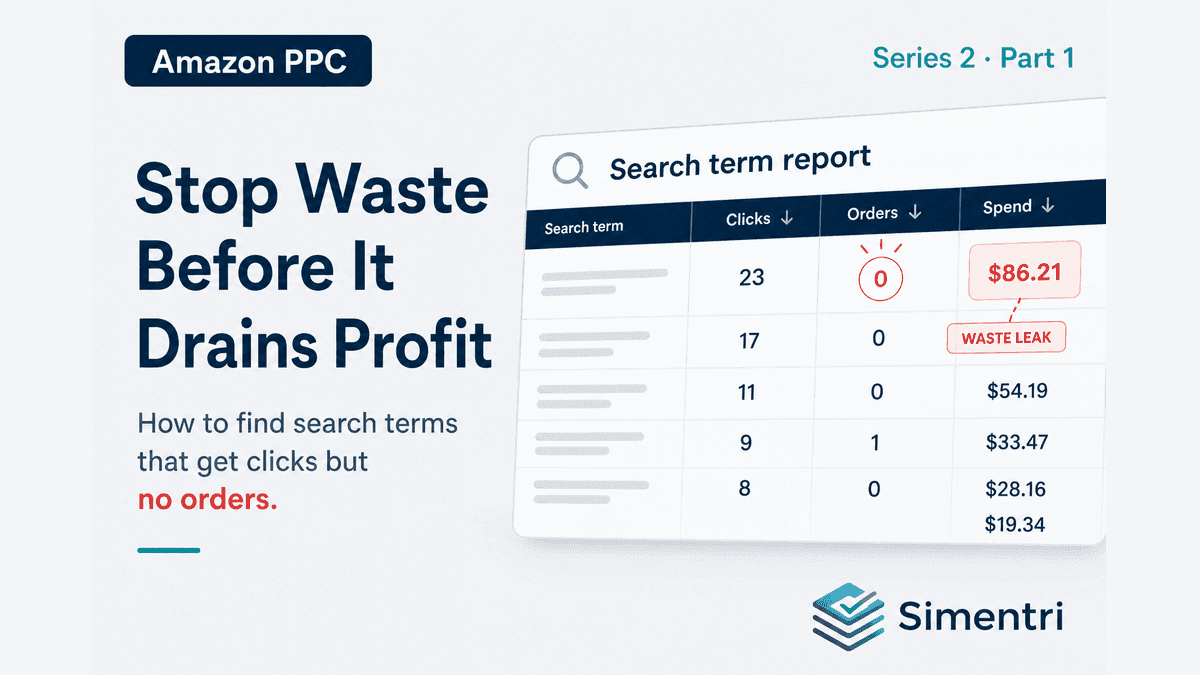
Here's an illustrative example of what a review like that can miss: 47 search terms spend a combined $312 in a week and generate $0 in sales. One term alone — "insulated water bottle 32oz" — burns through $86 with 23 clicks and zero orders. It's been doing that for six weeks. (Sample figures — not from a live account. Your account's numbers will differ.)
That's not a campaign problem. That's a search-term leak — and it's a pattern worth checking for in your own account.
Campaign ACOS hides term-level waste
Amazon's advertising console is built around campaigns and ad groups. Your weekly review probably starts there too. But waste doesn't announce itself at the campaign level — it hides inside search term reports, spread across broad match, auto campaigns, and legacy keywords you added eighteen months ago.
Three forces make this worse:
-
Volume. A typical $500K–$1M seller runs dozens of campaigns. Search term reports can contain thousands of rows per week. Manual review isn't slow — it's practically impossible to do consistently.
-
Single-week blindness. A term with zero orders this week might be noise. The same term with zero orders for six consecutive weeks is a pattern. Spreadsheets rarely track streaks; sellers either over-react or under-react.
-
The "good enough" trap. When overall ACOS is close to target, there's no obvious alarm bell. A meaningful share of spend can still bleed out through zero-order terms while the rest of the account looks healthy enough to mask the damage.
Check your own account: export last month's search terms, filter to spend with no attributed orders, and total that spend. On $10,000/month in ads, even a modest leak can mean hundreds or thousands of dollars paying for clicks that never convert — the exact number depends on your catalog, match types, and campaign structure.
Not all zero-order terms are equal
Before you negate everything, it helps to know the categories:
| Pattern | What it means | Typical response |
|---|---|---|
| Irrelevant search | Shoppers wanted something you don't sell | Block as negative keyword |
| Relevant term, wrong campaign | Term converts elsewhere but wastes spend here | Negate here; add to dedicated campaign |
| Relevant term, listing problem | Term matches your catalog; clicks but no purchase | Fix listing/pricing — don't negate yet |
| Seasonal trough | Off-peak for your category | Monitor until season returns |
| Not enough data yet | Few clicks, early signal | Watch until pattern confirms |
The mistake most sellers make is treating every zero-order term the same: block first, ask questions never. That saves budget on truly irrelevant traffic — but it can also kill terms that would convert if the listing, price, or campaign structure were fixed.
How Simentri finds every zero-order leak
Simentri Ad Insights runs a weekly pipeline on your Amazon Advertising reports — search terms, campaigns, placements, advertised products, and (when SP-API is connected) business-level metrics for TACOS and conversion context.
Each zero-order term with meaningful spend becomes a finding with:
- Exact search term and campaign
- Spend over 4-week, 8-week, and 12-week windows
- How many consecutive weeks the pattern has held
- Estimated monthly savings if blocked
Those findings land in your Optimize tab — not buried in a CSV export. Each one is an action card ranked by estimated dollar impact. The highest-cost leaks float to the top.
On the Summary tab, your KPI bar shows ACOS, TACOS, and CVR against the targets you set during onboarding. When waste is significant, the executive summary calls it out in plain language: how much spend is recoverable this week and where to start.
When you're ready to act, tap Review & Confirm on any action card. The confirmation drawer shows the exact term, the campaign, current spend, recommended change, estimated monthly impact, and step-by-step instructions to apply the change in Seller Central. You approve every action — Simentri doesn't change your campaigns without your say-so.
For accountants and agencies: one queue per client
If you manage Amazon PPC for multiple sellers, the math gets worse — not better. Five clients at $8,000/month ad spend means up to $10,000/month in aggregate zero-order waste across the portfolio.
Simentri's partner workflow lets you switch between client accounts and see the same prioritized Optimize queue for each — Summary KPIs, action counts on every tab, and dollar-sized impact on every card. You're not exporting five spreadsheets every Monday; you're working a ranked action list per client in minutes, not hours.
Account Analysis (available during onboarding) goes further for structurally messy accounts: it surfaces account-wide negative candidates — terms wasting spend across multiple campaigns — so you fix once instead of playing whack-a-mole campaign by campaign.
What to do this week
-
Export your search term report for the last 30 days. Sort by spend descending. Filter to terms with zero orders and more than 10 clicks.
-
Total the spend. If it's more than 10% of your monthly ad budget, you've confirmed the problem. Prioritize the top 10 terms by spend.
-
Apply the relevance test before negating. Ask: "Does this term describe something I actually sell?" If yes, investigate listing and pricing before blocking. If no, add as negative exact.
-
Set a recurring calendar block — or skip the manual work and let the pipeline do it weekly.
The compounding cost of waiting
Zero-order waste isn't a one-time hit. It compounds. Sticking with the illustrative example above:
- Week 1: $312 wasted on 47 terms
- Month 1: ~$1,250 at the same run rate
- Quarter 1: ~$3,750 — plus the opportunity cost of budget that could have gone to converting terms
Every week you defer the search term review, the same terms keep firing. Auto campaigns keep discovering new variations of the same bad traffic. Broad match keeps expanding the leak.
The sellers who pull ahead aren't the ones with the most sophisticated bid strategies. They're the ones who systematically eliminate waste first — then scale what's left.
See your number
Most accounts we look at have some recoverable spend sitting in zero-order search terms. The only way to know your number is to look.
90-day free trial, no credit card required. You approve every action before anything changes in Seller Central.