
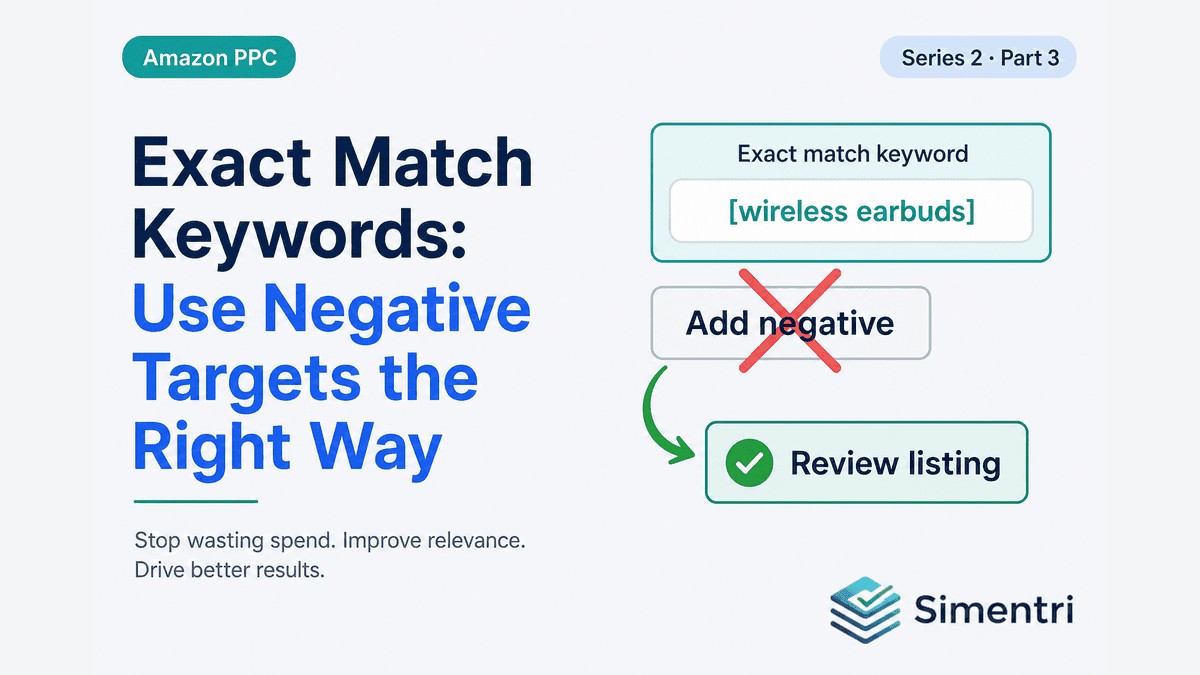
Hero Exact Keywords: Never Negate Your Own Targets
You're running a Hero campaign. Exact match. "Stainless steel French press" — the phrase you chose because it describes your flagship SKU and the shoppers you want.
Week three, the search term report shows that exact phrase: 24 clicks, $36 spent, zero orders. Your spreadsheet flags it red. A generic PPC checklist says: add negative exact, move on.
If you follow that advice, you didn't stop waste. You stopped targeting the keyword you built the campaign for.
This is one of the most common — and most expensive — mistakes in Amazon Sponsored Products management. And it's exactly the scenario Simentri refuses to treat as "add a negative."
Exact hero keywords are not waste
When a search term matches a positive exact keyword in the same ad group, the traffic isn't random. It's the query your bid was designed to win.
Zero orders on that term usually means something else broke:
- Buy Box loss or rotation to another seller
- Price moved above a competitor's offer
- Two new 1-star reviews tanked conversion
- Main image or variation setup confused shoppers
- Stock dipped and delivery promise slipped
Negating the term stops the symptom — clicks you didn't convert — but it also removes you from the auction for a keyword that defines your product category. Competitors keep bidding. You disappear.
The fix is almost never "block." The fix is diagnose the offer, throttle spend while you fix it, and protect the target.
The exact keyword click floor: wait before you panic
Not every zero-order exact match is actionable yet. Early in a campaign — or after a bid change — a keyword might have 6 clicks and no sales. That's noise, not a pattern.
Simentri waits until that term clears your Exact hero keyword click floor in Evidence floors / Settings before treating it as a firm Optimize action. Below that floor, the term may appear in Watching with a note that evidence is still building.
This mirrors how experienced managers operate: you don't restructure a Hero keyword on one slow week with thin click volume. You wait until the data says the keyword itself is failing to convert at meaningful volume.
You can tune general waste sensitivity and the Exact hero keyword click floor under Ad Insights → Settings → Evidence floors. The hero floor remains a deliberate stricter bar: those targets deserve more patience than stray broad-match queries.
What Simentri recommends instead of Add Negative
When an exact hero match has clicks above the floor and zero orders, Simentri routes to Optimize with a different lever pair:
1. Review listing
The Confirmation drawer opens with campaign, ad group, keyword, 7-day spend, and a Review listing diagnosis — not block. The Evidence tab shows click and spend history so you can verify in Seller Central's search term report before acting.
Ask the questions a listing audit requires: Are we winning Buy Box? Is price competitive? Did reviews shift? Is the hero image still the one converting in your business report?
2. Lower bid on the exact keyword
When diagnosis says the term still has strategic value but is bleeding budget while you fix the listing, Simentri pairs Review listing with Lower Bid on the exact keyword — not a negative.
The bid lower throttles spend without removing the target. Safe limits apply: no cut below Amazon's $0.10 floor, and no single-step reduction beyond policy caps. If you're already at $0.10 and still seeing zero orders, the system stays in review — negation remains blocked. Keep fixing the listing (and Protect signals if conversion is account-wide); do not kill the exact match.
3. No contradictory Add Negative on the same term
When the waste matches your exact hero target, Simentri owns that grain in Optimize. You won't also get a card telling you to add negative on the same campaign and term. Deliberate exact targets never auto-route to Add Negative.
How this differs from broad and auto waste
Important distinction: the never-negate exact-hero path applies when the zero-order query matches an exact keyword you added. Zero-order traffic from broad match, phrase match, or auto campaigns that happens to include similar words is a different path — Simentri can still recommend negatives once the pattern confirms, or clean sprawl separately.
You might legitimately negate "french press travel mug" from a broad campaign while protecting "stainless steel french press" as an exact Hero target in a dedicated campaign. Simentri keeps those grains separate so you don't accidentally kill the hero while cleaning sprawl.
Protected keywords: the same principle, broader list
Beyond exact-match ownership, you can declare Protected keywords in Settings — brand terms, category head terms, strategic phrases you will never block regardless of one bad week.
Protected terms with zero orders surface in Protect, not Optimize negatives. Hero exact and protected keywords together form your non-negotiable target list. Waste cleanup happens around them, not through them.
What to do this week
-
Audit your Hero exact campaigns. Pull search terms where query text equals your exact keyword. Any zero-order rows should trigger listing review — not negation.
-
Check Buy Box and CVR before you cut. If account conversion is dropping, fix Protect signals first.
-
Trust the click floor you've set. Don't react to hero exact terms until they clear your Exact hero keyword click floor — unless you already know the listing is broken (stockout, suppression).
-
Use the Confirmation drawer. Simentri shows estimated monthly impact for bid lowers and the steps to approve — Apply Now on connected Amazon Ads profiles.
The bottom line
Hero exact keywords are targets, not leaks. Zero orders mean your offer or funnel failed the shoppers you paid to reach — not that the keyword was irrelevant.
Simentri encodes that policy in the weekly queue: review, lower bid when appropriate, never add negative on deliberate exact targets once the click floor is met.
90-day free trial, no credit card required. You approve every action before anything changes in Seller Central.